Virtually Stored
UK Benefits Checker
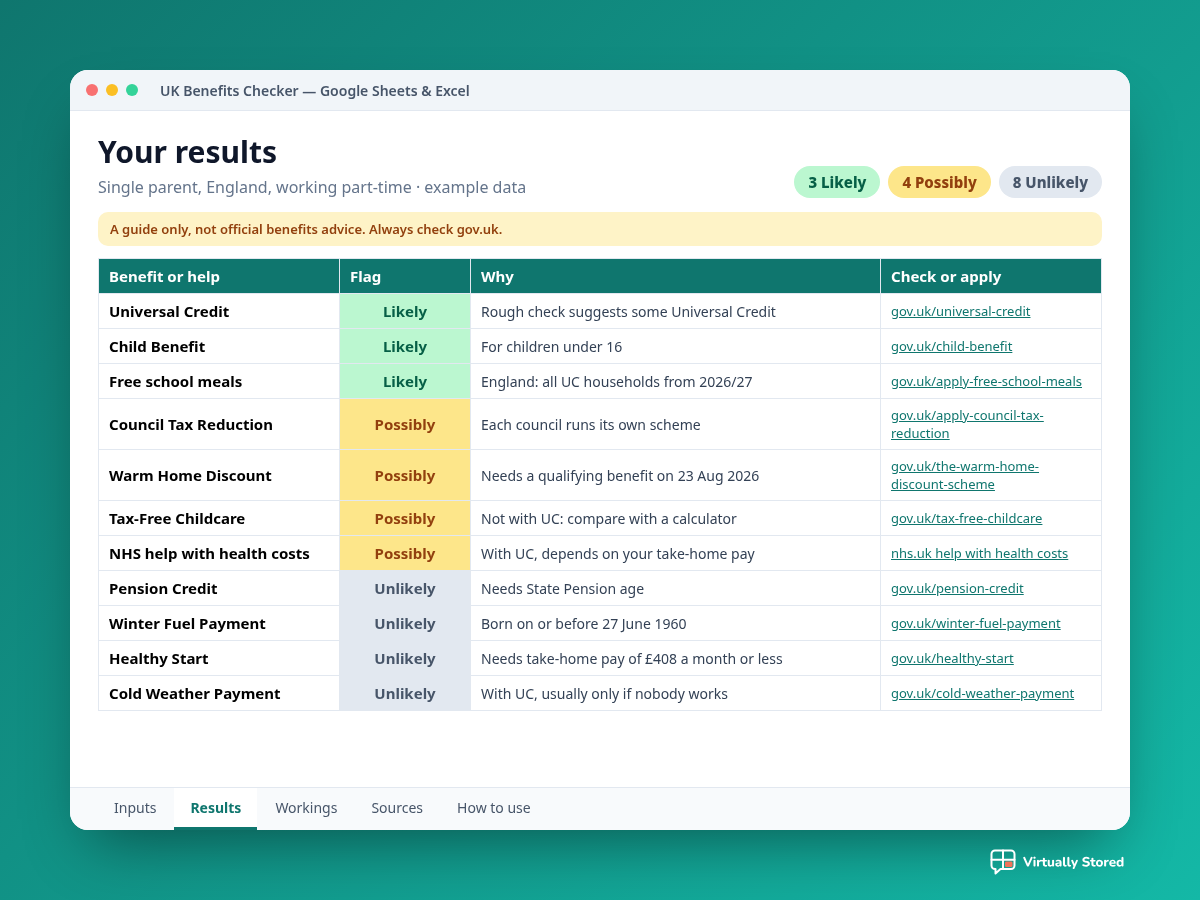
Answer some simple questions about your household and see which benefits and help you might be able to get, each flagged Likely, Possibly or Unlikely, with a link to the official page to check.
Works in Google Sheets & Excel
£5
Buy now
Instant digital download, sold through Payhip.
A guide only, not official benefits advice.Entitlement is decided by the DWP, HMRC and your local council after an official assessment. Rules and rates change, so always check gov.uk or a free adviser such as Citizens Advice. For an estimate of how much you could get, use one of the free calculators listed on gov.uk/benefits-calculators (Turn2us, entitledto or Policy in Practice).
About this checker
It's easy to miss help you could be getting. This spreadsheet runs through the main rules for 15 UK benefits and schemes using 2026 to 2027 rates from gov.uk, and points you to the right official page for each one. It doesn't work out amounts and can't guarantee entitlement. It's a starting point, so you know what to check next. Made in Jersey.
What's included
- 15 benefits and schemes checkedUniversal Credit, Pension Credit, Council Tax Reduction, free school meals, Child Benefit, Carer's Allowance, PIP or Attendance Allowance, Winter Fuel Payment, Warm Home Discount, Cold Weather Payment, Healthy Start, NHS help with health costs, free TV licence (75+), Marriage Allowance and Tax-Free Childcare.
- Simple questionsWhere you live in the UK, ages, children, take-home pay, savings, housing, working hours, caring and health.
- Likely, Possibly or UnlikelyA colour-coded flag and a one-line reason for each. Where it depends on things a spreadsheet can't know, it says Possibly, so you can check.
- Official linksEach result links to the gov.uk (or NHS) page to check or apply.
- Different rules across the UKPoints you to the right scheme where England, Wales, Scotland or Northern Ireland differ.
- Sources tabEvery official page used, with the 2026 to 2027 rates and the date they were checked.
- Example data and a How to use tabClearly labelled example data to show how it works, plus plain-English instructions.
- Google Sheets & ExcelNo macros. Use whichever you prefer.